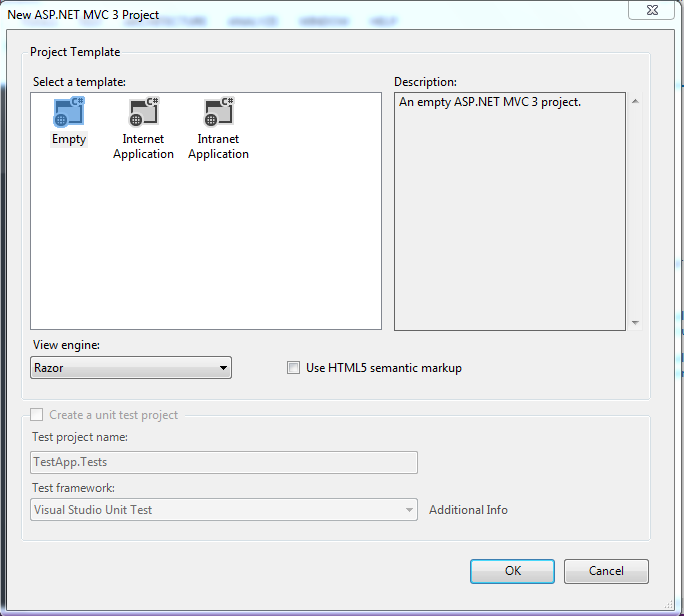
Today we will see a small example of how to use SelectedList. It comes under the namespace System.Web.Mvc.
HomeController.cs
Lets have a view Named Index.cshtml
Happy Coding :)
This list basically helps you to represent a list that let user to select item.
To start with we will create a Model say SelectListExampleModel.cs
To start with we will create a Model say SelectListExampleModel.cs
using System;
using System.Collections.Generic;
using System.Linq;
using System.Web;
using System.Web.Mvc;

namespace SubmitTest.Models
{
    public class SelectListExampleModel
    {
        public SelectListExampleModel()
        {
            if (Items == null)
            {
                Items = new List<Item>();
            }
        }
        public SelectList ItemList { get; set; }
        public List<Item> Items { get; set; }
        public int ItemList1 { get; set; }
    }
    public class Item
    {
        public int ItemId { get; set; }
        public string ItemName { get; set; }
    }
}
HomeController.cs
using System;
using System.Collections.Generic;
using System.Linq;
using System.Web;
using System.Web.Mvc;
using SubmitTest.Models;

namespace SubmitTest.Controllers
{
    public class HomeController : Controller
    {
        public ActionResult Index()
        {
            ViewBag.Message = "Welcome to ASP.NET MVC!";

            //Lets create a list of items here


            var selectedList = new SelectListExampleModel();
            Item item = new Item();
            item.ItemId = 1;
            item.ItemName = "Bread";
            selectedList.Items.Add(item);
            Item item1 = new Item();
            item1.ItemId = 2;
            item1.ItemName = "Butter";
            selectedList.Items.Add(item1);
            selectedList.ItemList = new SelectList(selectedList.Items, "ItemId", "ItemName");

            return View(selectedList);
        }
        [HttpPost]
        public ActionResult Index(SelectListExampleModel model)
        {
            ViewBag.Message = "Welcome to ASP.NET MVC!";


           var selected= model.ItemList1.ToString();


           return View(model);
        }

        public ActionResult About()
        {
            return View();
        }
    }
}
Lets have a view Named Index.cshtml
@model SubmitTest.Models.SelectListExampleModel

@{
    ViewBag.Title = "Home Page";
}

<h2>@ViewBag.Message</h2>
<p>
    To learn more about ASP.NET MVC visit <a href="http://asp.net/mvc" title="ASP.NET MVC Website">http://asp.net/mvc</a>.
</p>
 @using (Html.BeginForm())
 {
     @Html.DropDownList("ItemList1", Model.ItemList, "- Please Select -")
     <input type="submit" value="Get Selected Value" />

 }
Happy Coding :)